
How to leave a review for the Itgrix app in Bitrix24?
We give bonuses for leaving reviews
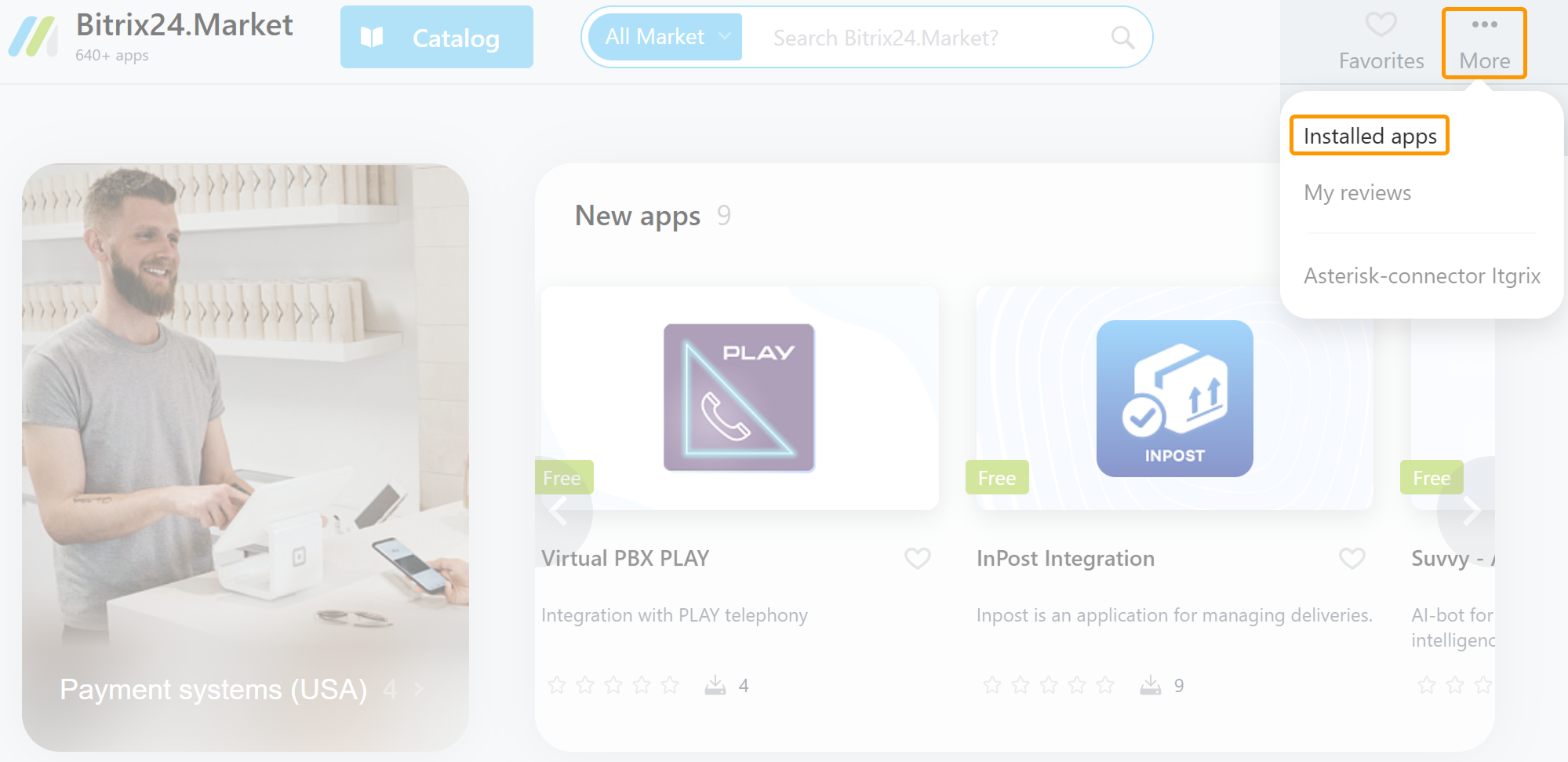
Go to the "Market" on your Bitrix24 portal, click More - Installed apps.
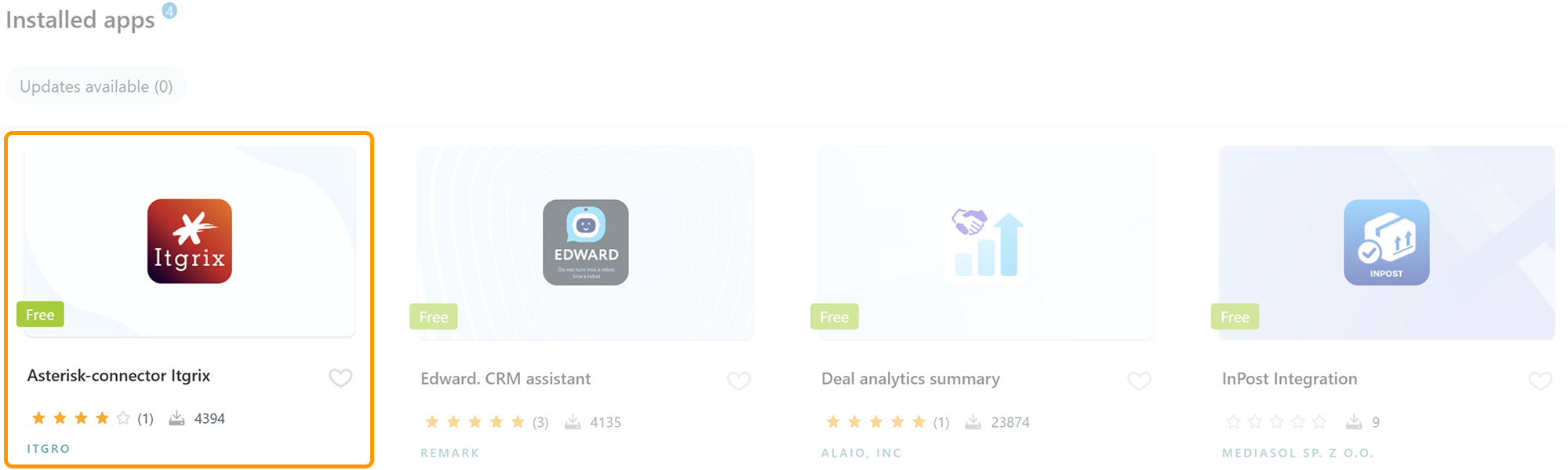
A list of applications will open. Find the Itgrix application and click on it.
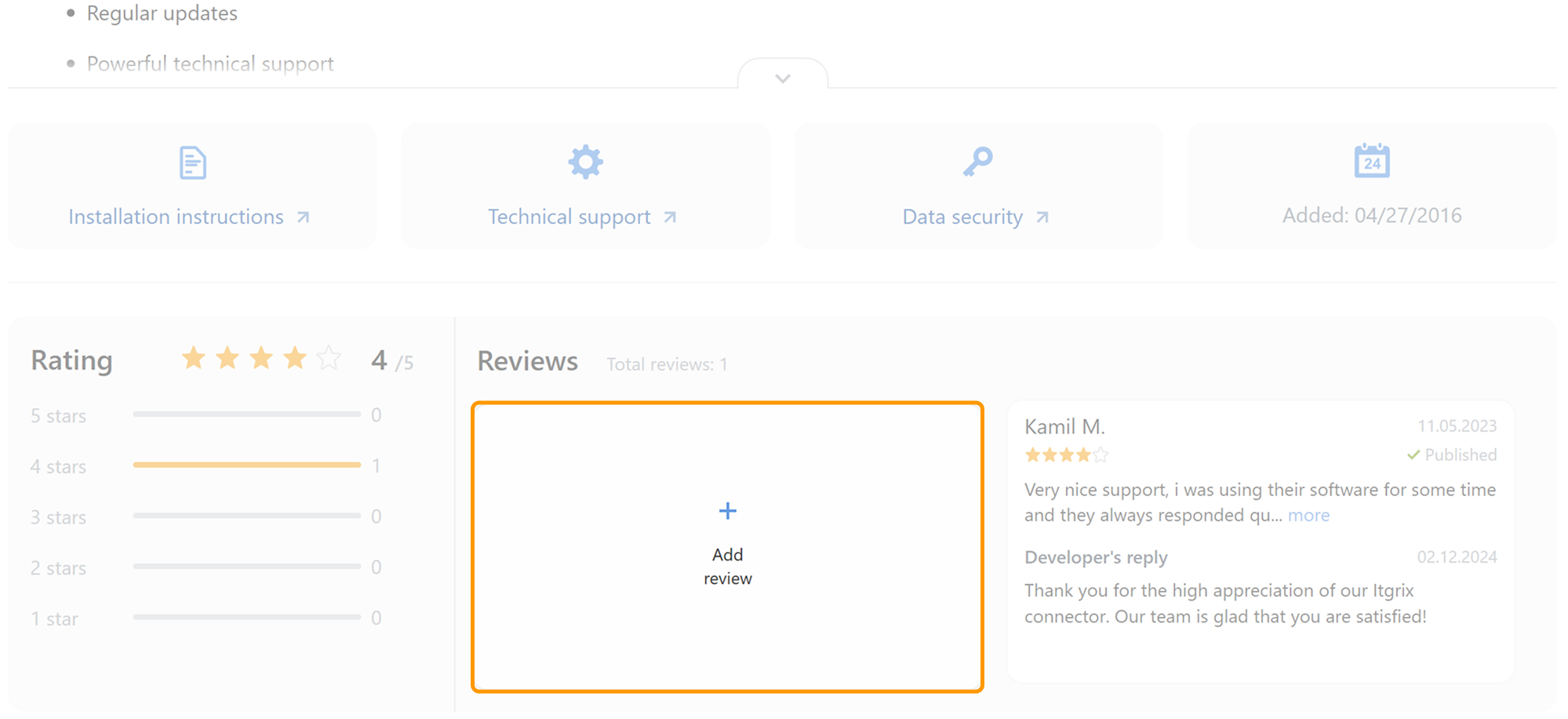
In the app window that opens, scroll down to the "Reviews" section and click Add Review.
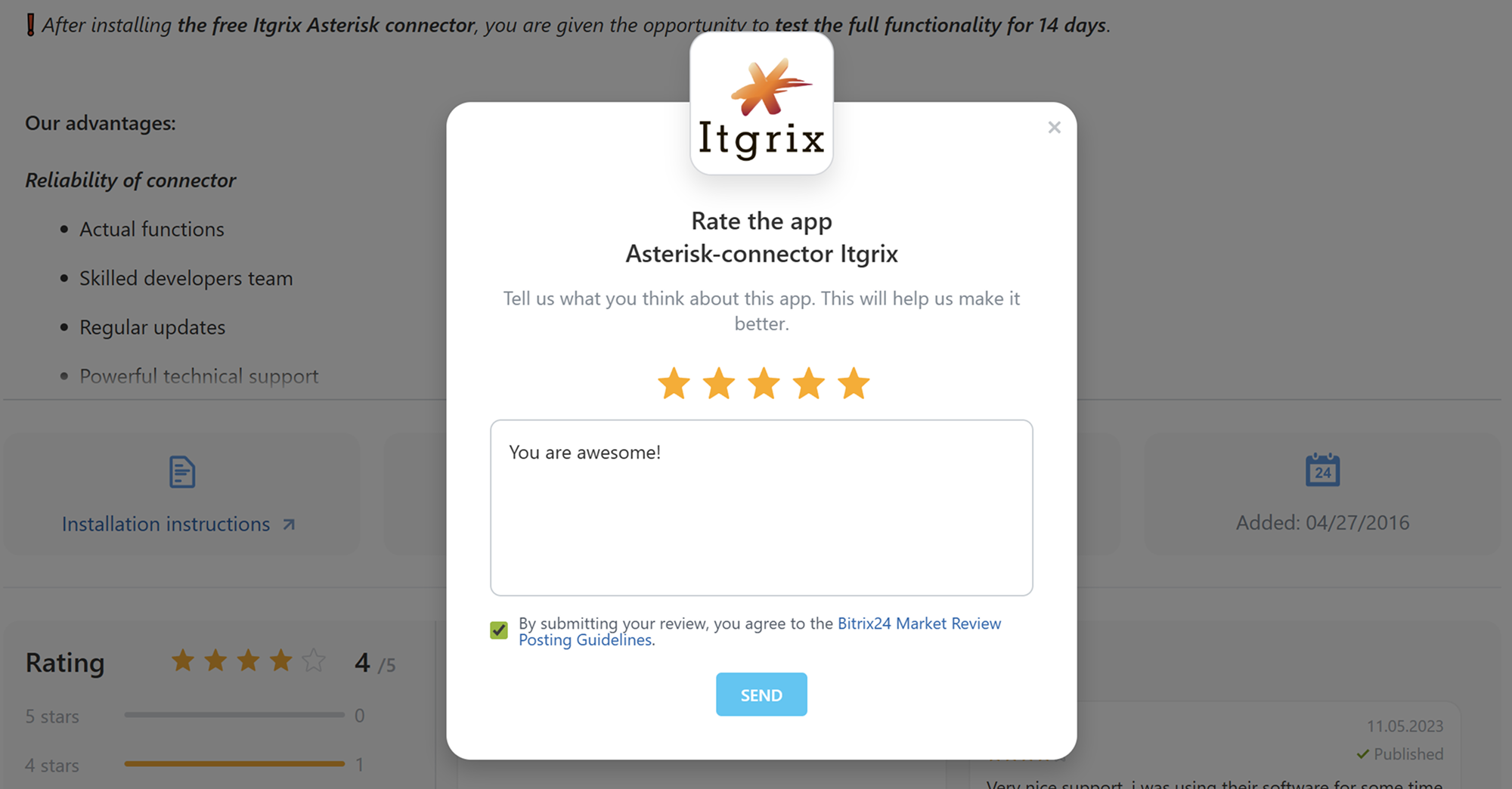
Write a review and click the Send button.
Thank you, you are great too!
Send us a screenshot of your review and we'll add +1 month to your Itgrix license expiration date.